A LITTLE INSPIRATION

See it in action

Explore a few ideas, then make the words your own.

  • Tell it FRAME BY FRAME.

  • MAKE IT REAL.

  • Your NEXT SCENE.

A text match cut keeps one idea in focus

See the same phrase move through changing layouts.

01

Keep the key phrase in focus

A text match cut shows the same word or phrase in a steady position while the pages and typography around it change. Each new frame feels different, but the repeated highlight gives viewers a constant point to follow. The effect can introduce a subject, underline a title or connect two parts of a story.
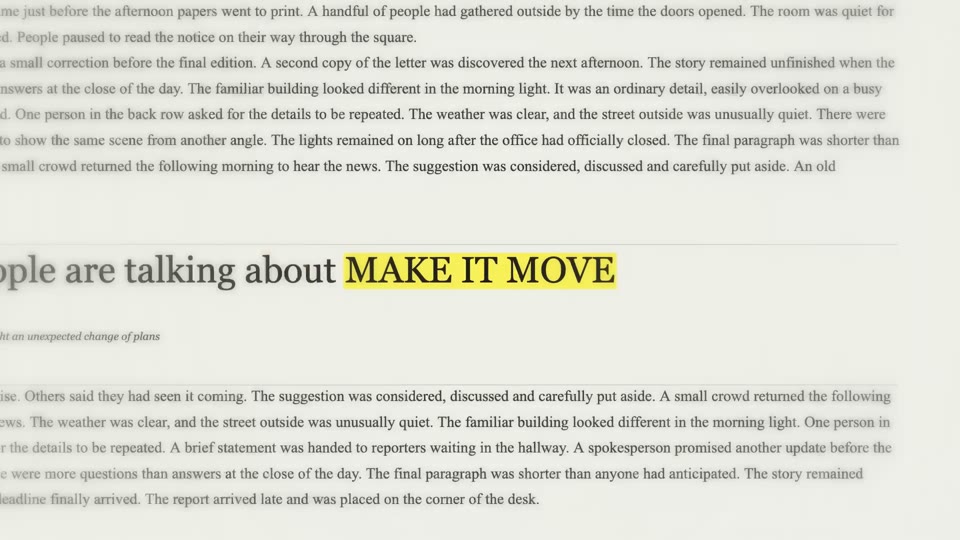
A landscape text match cut example

02

Make a clip for your timeline

The text match cut generator on MT Video creates illustrative newspaper layouts in your browser. You supply the focal words; the editor draws and records the sequence. It does not search for real news articles, verify the surrounding text or accept your own page screenshots, so treat the background as a visual design rather than a source of facts. This text match cut tool is free, needs no sign-in and uses no AI credits. Download the finished clip to your device, then arrange it in your own editing timeline. MT Video’s separate AI image and video workspaces have their own account, input and credit requirements.

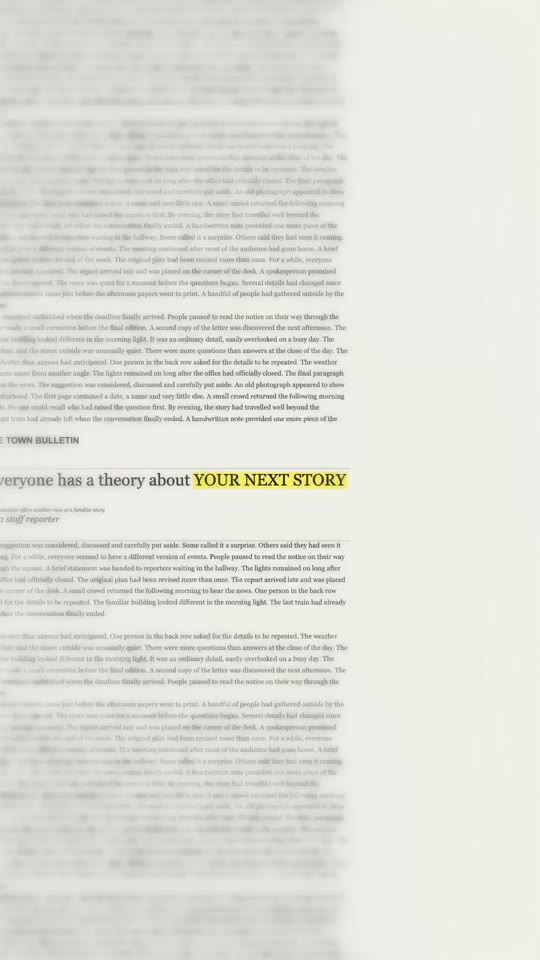
A vertical text match cut example

How to make a text match cut

Create a short clip, then bring it into the rest of your edit.

  1. Step 1

    Choose your words and color

    Enter a word or short phrase of up to 23 characters, then choose a highlight color. The text match cut preview shows how your words look as the pages change.

  2. Step 2

    Generate and adjust

    Select Generate for free to create a square clip. Afterward, choose a different frame, sound or pace if you like, then regenerate the text match cut to apply your changes.

  3. Step 3

    Download and edit

    Download the text match cut in a format your browser supports. Add the clip to your video editor and place it alongside your footage.

Ideas for your next edit

Choose a phrase and a setting that support the story you want to tell.

Give a short video an opening hook

Start with a text match cut that names the subject before the first scene appears. A compact phrase can establish what the viewer is about to see, while the following footage supplies context. For a vertical edit, make a new 9:16 version after the first preview and check that app controls will not cover the words.

Introduce a character or series

Use a character name or episode title as the repeated phrase, then follow it with a separate character video. You can explore motion templates in MT Video and combine the downloaded files in your own editor. The text match cut page does not animate the character or automatically join the two clips.

Connect two ideas with one phrase

Place a text match cut at a change of location, speaker or chapter. A word shared by the surrounding scenes can make the transition feel intentional. Compare the pace with the shots on both sides: a slower sequence may give a reflective edit more room, while a faster one may suit an energetic opening.

Highlight a product, event or announcement

Let a short name or key phrase lead into the details of your announcement. Preview the text match cut on a phone as well as a larger screen, and avoid adding captions over the focal words. Check names and claims in your own source material; the decorative pages are not evidence of a real publication.

Text match cut questions

Details about the editor, output and next steps.

Is the text match cut generator free to use?

Yes. You can create and download a text match cut without an account or AI credits. The browser handles the drawing and recording on your device. MT Video’s separate AI tools may require sign-in and credits, with their available settings and estimates shown in those workspaces.

What words work best in a text match cut?

The editor accepts up to 23 characters, including spaces. A short title, name or phrase is usually easier to follow during rapid page changes. If the words feel crowded in the preview, try a shorter version, adjust the zoom and regenerate before deciding which text match cut to keep.

Can I make a vertical or landscape text match cut?

Yes. The first result is 1:1. After it appears, choose 9:16 for a portrait frame, 1:1 for square or 16:9 for landscape, then regenerate. A setting change prepares a new recording; it does not reshape the video already shown in the preview.

Does the editor export MP4?

The download menu lists the MP4 and WebM recording formats supported by your browser. Available options vary by device and browser version. After downloading a text match cut, check that your editing app can import the chosen file before using it in a larger project.

How can I change the pace of a text match cut?

Generate a first preview, open Advanced settings and adjust cuts per second. The displayed rate is approximate because cuts are aligned to video frames. Regenerate and watch the whole result; pacing affects how long each page remains visible and can change the clip’s length.

Can I add a different soundtrack?

Choose one of the built-in sound effects, or select No sound and regenerate for a silent text match cut. The text match cut editor does not upload your own audio. To use music, dialogue or narration, add it separately in the editing app where you assemble the final video.

Can I use a real article or my own screenshots?

The current text match cut editor generates its own newspaper-inspired pages. It does not import article screenshots, use specific publications or search the web for source material. If an authentic document needs to appear, assemble that material separately in a tool that supports your images.

Why does the old preview remain after I change a setting?

Your existing text match cut is already recorded, so changing the ratio, format or sound does not alter that file. The text match cut page marks that settings have changed. Select Regenerate to create the updated version; the previous download remains available until the new result is ready.

Where is my text match cut saved?

The preview lives in the current browser session. Use Download to save the video to your device before leaving or replacing it. This local text match cut is not uploaded to MT Video’s account history, so another browser or device will not automatically show that result.

What if recording or sound does not work?

Text match cut recording support and device performance can vary. Try a current browser, use one of the formats offered by the editor and keep the page open during recording. If audio causes a failure, select No sound and retry; you can add audio later in your video editor.

Can I choose a different highlight for a text match cut?

Yes. Select yellow or one of the other highlight colors before recording. If you change the color after a text match cut is ready, regenerate to apply it; your existing download stays available during the new recording.

Give your next idea a focal point

Choose your words and create a text match cut in your browser.